Your Clients Come from Instagram? How to Manage Them Without Losing Bookings

Photo — Unsplash
Alina is a tattoo artist with a growing reputation. Her Instagram portfolio brings in 15–20 new inquiries every week. Clients DM her, she confirms the date, saves their username somewhere — and then the chaos begins.
Some usernames end up in a notes app. Others stay buried in DMs. A few are scribbled on paper. When appointment day arrives, she can’t find the client’s profile to check their reference photos or send a reminder.
Sound familiar? If most of your clients come from Instagram, you already know the struggle: your booking system and your client contacts live in completely different worlds.
The Instagram Client Problem
For solo beauty professionals — tattoo artists, nail techs, lash artists, barbers — Instagram isn’t just a portfolio. It’s the primary client channel. But Instagram was never designed to be a booking tool:
- DMs disappear in the endless scroll — finding a specific conversation from two weeks ago takes minutes
- No structured data — client name, service, time, price are scattered across messages
- Constant app-switching — calendar, Instagram, notes, back to Instagram, back to calendar
- Username confusion — was it @anna.designs or @anna_designs_? You saved it somewhere…
- Reference photos get lost — the client sent them in DMs, but you can’t find the message
For a tattoo artist charging $200–$500 per session, even one lost booking per week means $800–$2,000 per month walking out the door. And most of the time, it happens silently — the client simply never hears back.
What If You Could Just Paste the Link?
Here’s what managing an Instagram client should actually look like: the client DMs you, you copy their profile link, and you’re done.
When you create a new appointment, open the editor and paste the full Instagram link — like https://www.instagram.com/kylieminogue — right into the name field. The app recognizes it instantly, extracts the username, and saves it as the client’s name. No manual editing, no typing @handles by hand.
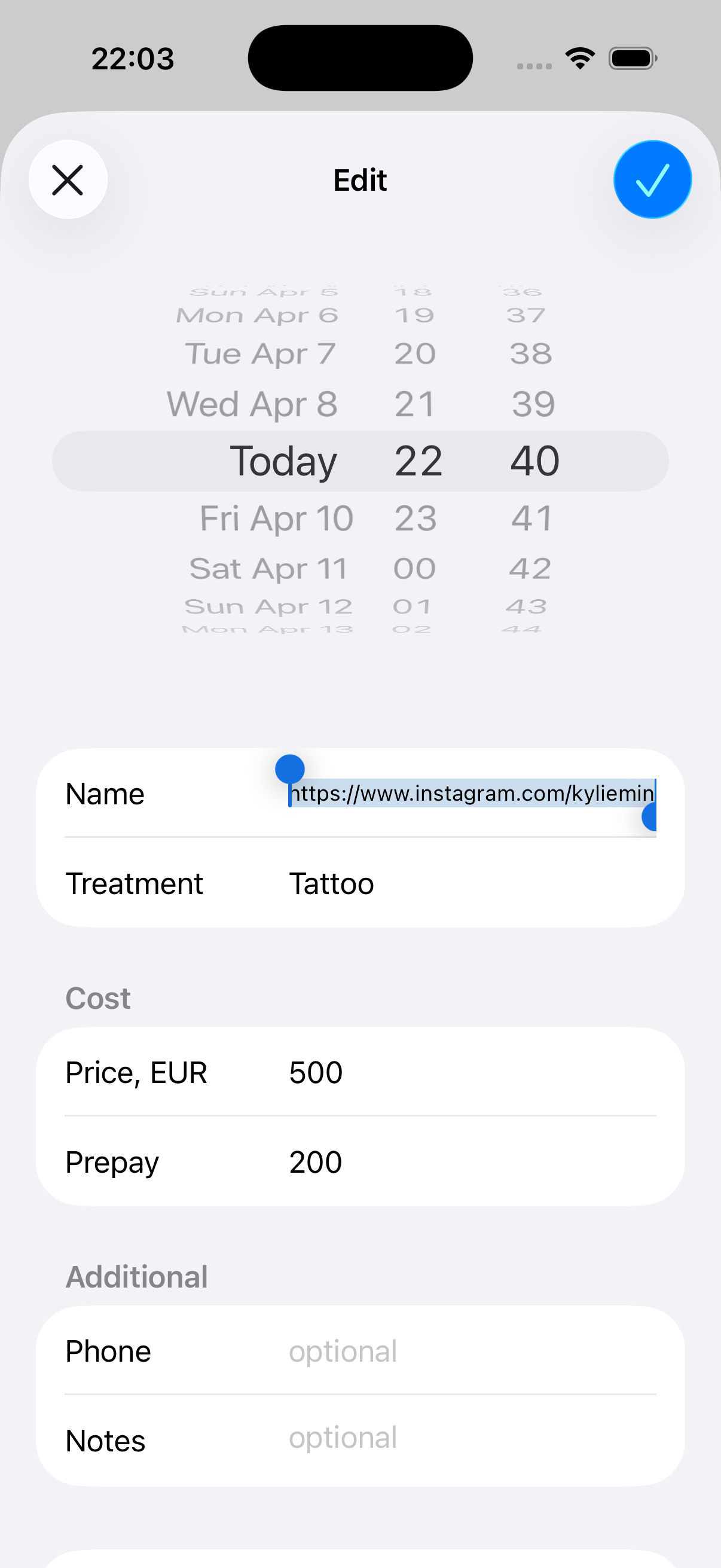
That’s the entire process. Copy the link from the client’s DM or profile page, paste it when booking — and the client is saved with their Instagram identity attached.
One Tap to Their Profile
The real power shows up when you need to reach that client later. On the home screen, tap and hold any appointment — a quick action menu appears with “Open Instagram” right at the top.
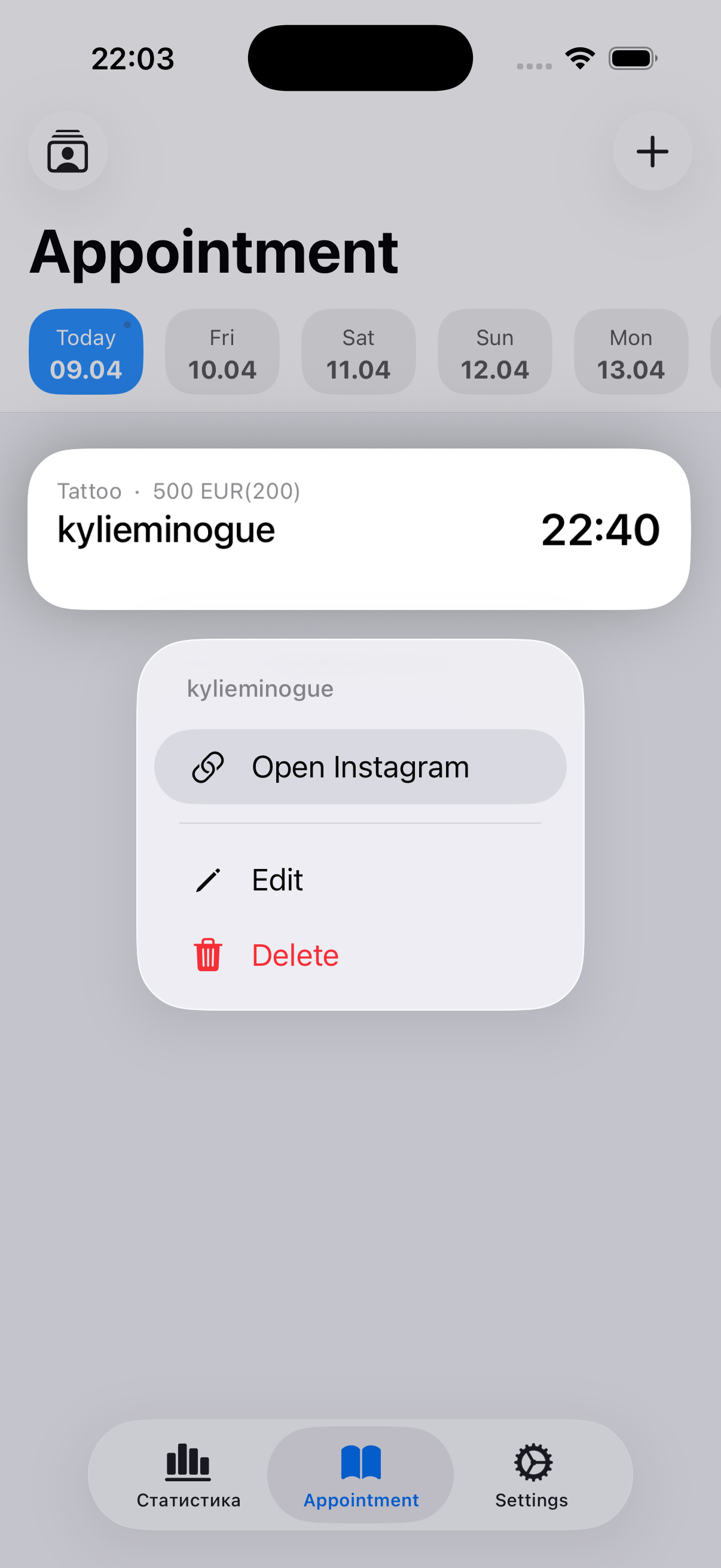
One tap — and you’re looking at the client’s Instagram profile. Check their reference photos, send a quick DM reminder, browse their latest posts for session inspiration.
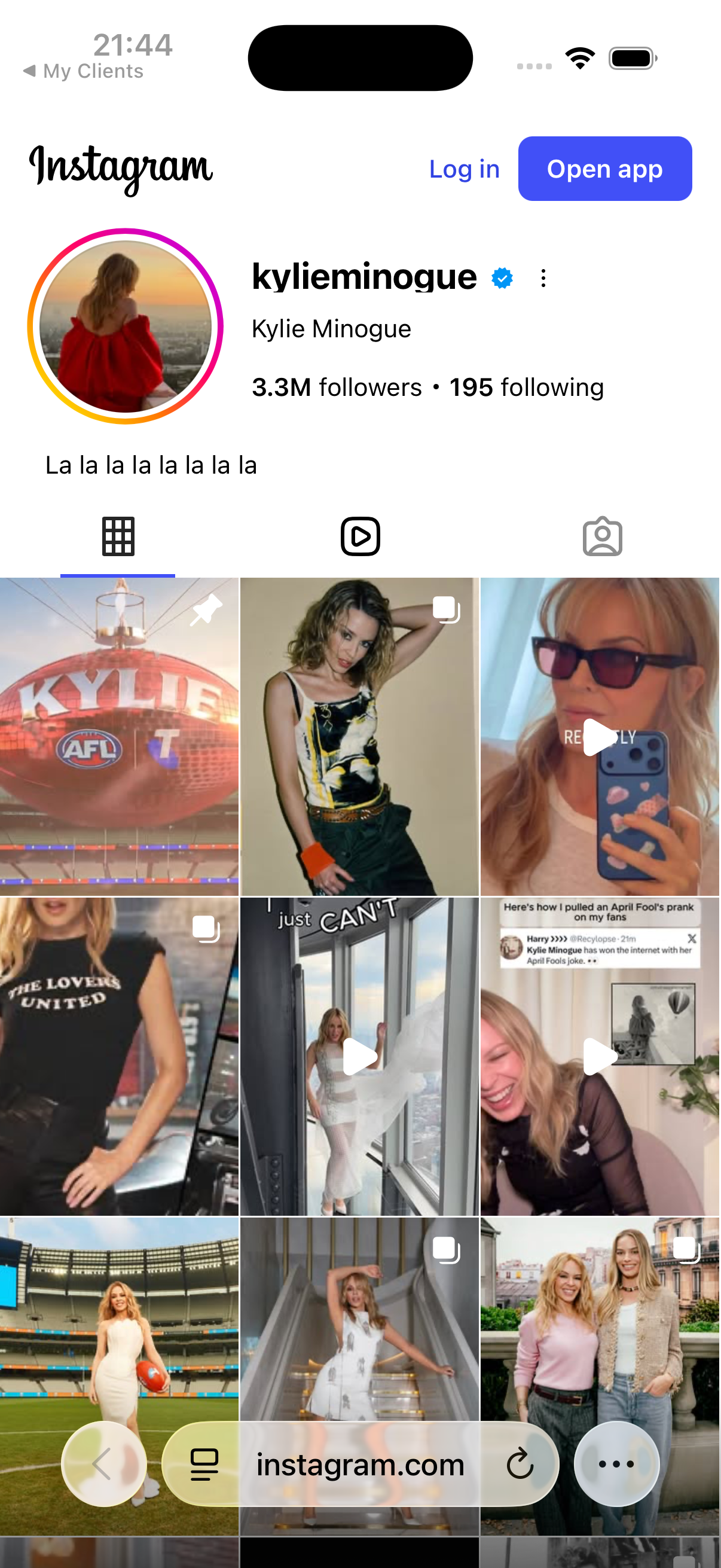
This single flow covers everything you need:
- Before the session — review the client’s profile, check reference images they posted
- Reminder time — open their profile, tap Message, send a quick “See you tomorrow!”
- After the session — view their posts, leave a comment, stay connected
- Rebooking — see their activity, reach out when it’s time for a touch-up
No more searching through DMs. No more guessing usernames. One tap from your booking calendar straight to the client’s Instagram profile.
Before and After: Alina’s Story
Alina gets about 15 new clients per month through Instagram. Here’s what changed when she stopped juggling DMs and started pasting links.
Before — the DM juggling act:
- Client usernames saved across Notes, WhatsApp, and paper scraps
- 2–3 clients per month “fell through the cracks” — she couldn’t find their username to send the deposit reminder
- Spent 10–15 minutes per day just hunting for Instagram profiles
- Lost an estimated $600–$1,500/month from forgotten follow-ups and missed bookings
After — paste the link and forget:
- Every Instagram client booked with their profile link in one step
- Quick action opens any client’s profile in one tap
- No more lost usernames or forgotten DMs
- Follow-up time dropped from 15 minutes to under 2 minutes per day
- Recovered $800+/month in bookings that previously slipped away
“I used to spend more time searching for clients in my DMs than actually talking to them. Now I paste the link when I book them, and everything is right there.” — Alina, tattoo artist
Who Benefits Most
This feature is built for anyone whose clients come from social media — but it’s especially powerful for:
- Tattoo artists — need to revisit client reference photos before every session
- Nail technicians — clients send inspiration photos via DM
- Lash and brow artists — need to confirm styles by checking previous work
- Barbers — clients share haircut references through Instagram
- Makeup artists — portfolio-based bookings where visuals are everything
If your clients find you on Instagram, and you confirm bookings in DMs — this bridges the gap between your social media and your schedule.
It Works Offline Too
You pasted the Instagram link while you had Wi-Fi. But tomorrow at the client’s location, your connection drops. The appointment is still there. The username is saved locally, and the “Open Instagram” action is ready the moment you’re back online.
No cloud account needed. No internet required to view your schedule. Your data stays on your device.
Your bookings don’t depend on a server. Even without internet, every client, appointment, and detail is right where you left it.
Getting Started
- Download the app — free, no registration, no account needed
- Book a client — paste their Instagram profile link into the name field
- The app does the rest — username extracted, profile linked automatically
- Long-press any appointment to open their Instagram profile in one tap
That’s it. No setup wizards. No tutorials. Just paste and go.
Manage your Instagram clients the easy way — paste the link, see the name, open their profile in one tap. Try My Clients for free, no sign-up required.
You might also find useful
Try My Clients free
Start organizing your clients today